
DocWhite Pro, A simple batch image optimizer to remove gray backgrounds from phone or scanner
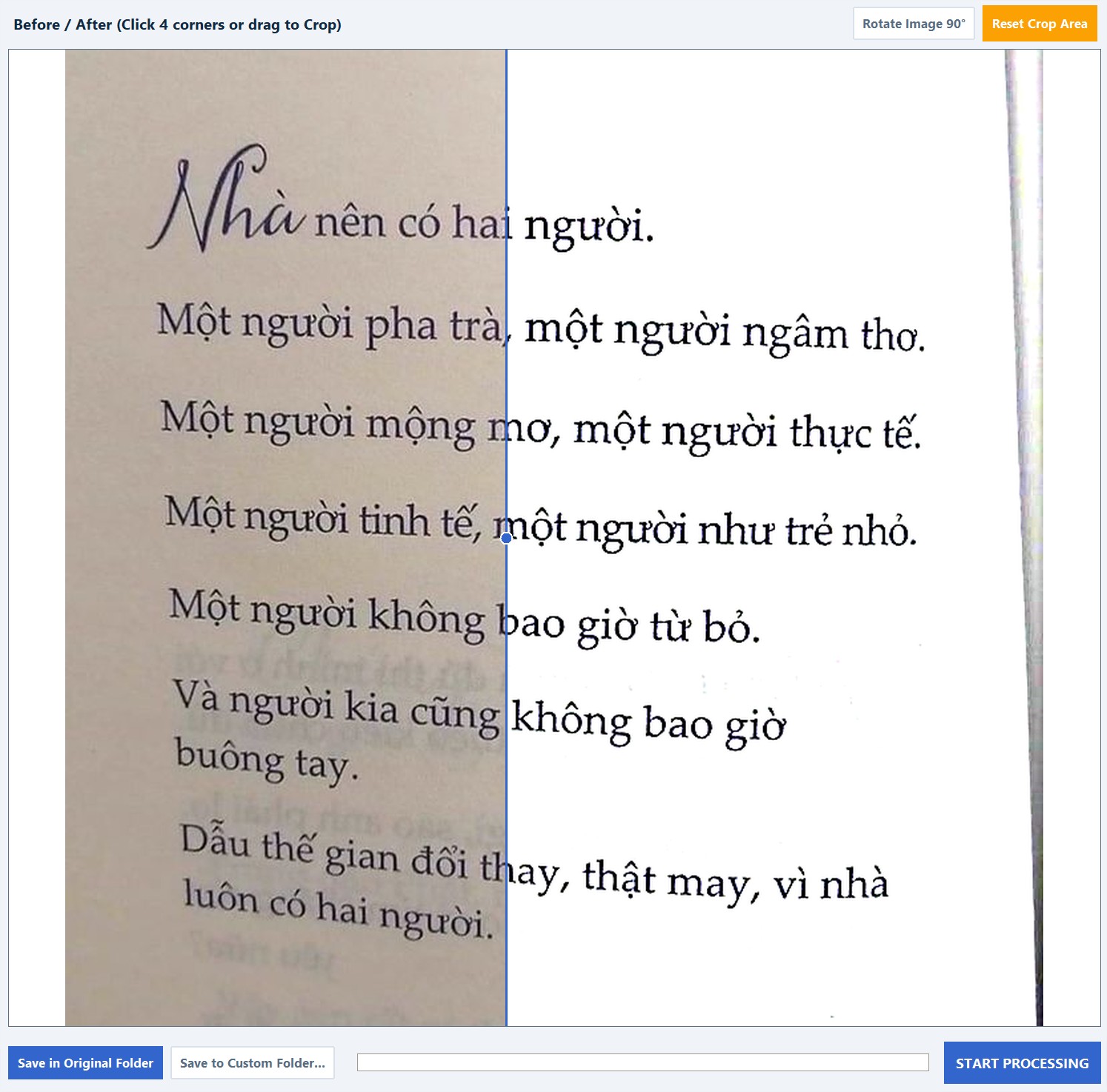
Hey everyone, I run a small print and copy shop, which means every single day is a battle against terrible phone photos. Customers constantly send me skewed, dark, and yellowed pictures of their ID cards or contracts via messaging apps, expecting me to print them perfectly. If you print those directly, it completely drains your ink and looks awful. I used to waste hours dragging these images into Photoshop, manually adjusting levels, and fixing the perspective just to make them legible. I finally got sick of doing this manually, so I coded my own solution to automate the headache. It’s called DocWhite Pro. It’s a lightweight Windows tool I built specifically to batch-whiten document backgrounds. You just drag and drop the messy photos in, and the algorithm strips out the gray/yellow shadows while keeping the black text sharp.
Hình ảnh minh họa cho DocWhite Pro: A simple batch image optimizer to remove gray backgrounds from phone or scanner. Ảnh: Tư liệu
A few things I baked into it: 4-Point Perspective Fix: Just click the four corners of a skewed, awkwardly angled document, and it flattens it into a perfect rectangle. Bulk Processing: You can throw hundreds of photos at it and let it run. It uses multi-core processing so it takes seconds, not hours. 100% Offline: Since I deal with sensitive stuff like IDs and legal contracts all day, sending data to the cloud was a hard no. Everything processes locally on your machine. It’s a very niche tool, but if you work in an office, run a print shop like me, or just need to digitize old documents, it’ll save you a lot of repetitive clicking. I put it up on Gumroad with a free trial so you can throw your worst, darkest document photos at it and see if it works for you: Get it here: I’m still tweaking the logic and adding features. If you guys try it out, let me know what you think or if you catch any bugs!
Nguồn thông tin: Tổng hợp và biên tập từ chuyên trang công nghệ.